Posts

Showing posts with the label 1st party

Steam Controller Bluetooth firmware
Image
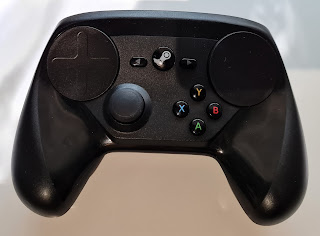
Just a quick post if somebody else finds this useful also. I managed to get a really cheap used Steam Controller. The controller works fine and is in nice condition. Steam Controller The problem is that mine came without the proprietary receiver. I thought that no problem, I can just use Bluetooth. However the controller would not show up on my Windows PC. Then I read that you have to update firmware to enable BLE. Ok, no big deal I thought, I just use Steam client to update the firmware. And yes it seemed like this was possible some years ago, but now there is no way to update the controller from the UI. Luckily there is still command line tool for Windows from Valve to do this. The instructions are in this post in Steam community:  https://steamcommunity.com/app/353370/discussions/1/6516193260178656983/?tscn=1687207374#c6516193260183103338 I just extracted the contents of the Steam_Controller_FW_Update_Tool.zip, connected Steam Controller with USB cable and ran ble.bat. Then...
Replacing Mega Drive / Genesis controller conductive pads with PS2 pads

Image
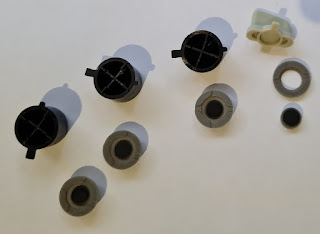
I had urge to play some emulated Sensible Soccer but wanted to use the original Mega Drive (Genesis) controller. Unfortunately the only controller I have is not working very well. The conductive pads for buttons are almost gone. I cleaned this one in a previous post  https://strangegamepads.blogspot.com/2019/05/sega-megadrive-3-button-controller.html Sad state of the original conductive pads I still don't have the proper conductive pads for this and replacement pads are still quite hard to find and expensive. However I noticed by accident that the PS1/PS2/PS3 controller conductive pads for the buttons are almost exactly the same size. Mega Drive pads on top of PS3 (left) and PS2 (right) pads There is however slight difference in height. Also the conductive area is smaller in PS pads. But this should not make a huge difference since the copper area on the PCB is so large. So I sacrificed one PS2 replacement conductive pad and just cut it with scissors to separate the four circular a...

Microsoft Xbox 360 Wireless Receiver for Windows

Image
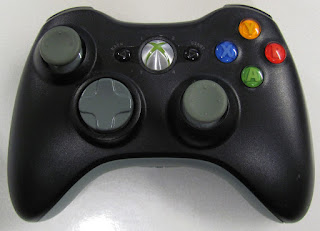
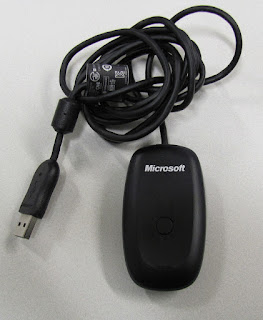
This is bit of an update to the previous Xbox 360 wireless controller post: https://strangegamepads.blogspot.com/2019/06/cleaning-xbox-360-wireless-controller.html Now I finally got my Microsoft official Xbox 360 Wireless Receiver for Windows. The Microsoft original receiver might be quite hard to come by so I suggest you grab one if you find them for cheap. The receiver works in Windows 10 without any extra drivers and it supports up to four controllers. I paid around 20 euros for this but it came bundled with another Xbox 360 wireless controller. This is the "S" black model. As far as I can tell the only difference to the original black model is that the controller is now all black and the "home" button has nice shiny chrome finish to it. Also the text in front says XBOX 360 instead of Microsoft. Comparison of the two models. The newer model looks much better in my opinion. I will be selling the old model since it is fully functional and now also cl...

Cleaning Xbox 360 wireless controller with corroded battery holder

Image
I've been recently playing quite a lot of Fallout: New Vegas on my main TV using Steam link. I've been using wired Xbox 360 controller and it works fine, but I'd like to move to wireless solution. I've had one Xbox 360 wireless controller laying around, but I didn't have the PC receiver for it. I ordered one 3rd party receiver from dealextreme, but it never arrived. However I finally managed to find one original Microsoft receiver cheap. So I decided to clean my controller while waiting for the receiver to arrive. Front before cleaning. In nice shape. Even the analog stick caps are in good condition. Back. Again only minor scuff marks. But here is the real problem. The battery holder has had some leaking batteries inside. Luckily it seems that the leakage has not gone to the terminals on the PCB. Those were clean and without corrosion, so I'm assuming the PCB is fine also. First a warning. That white gunk is not good for you. It is corrosive so ...